Add an App to Home Screen
It takes about 15 seconds. Here's how.
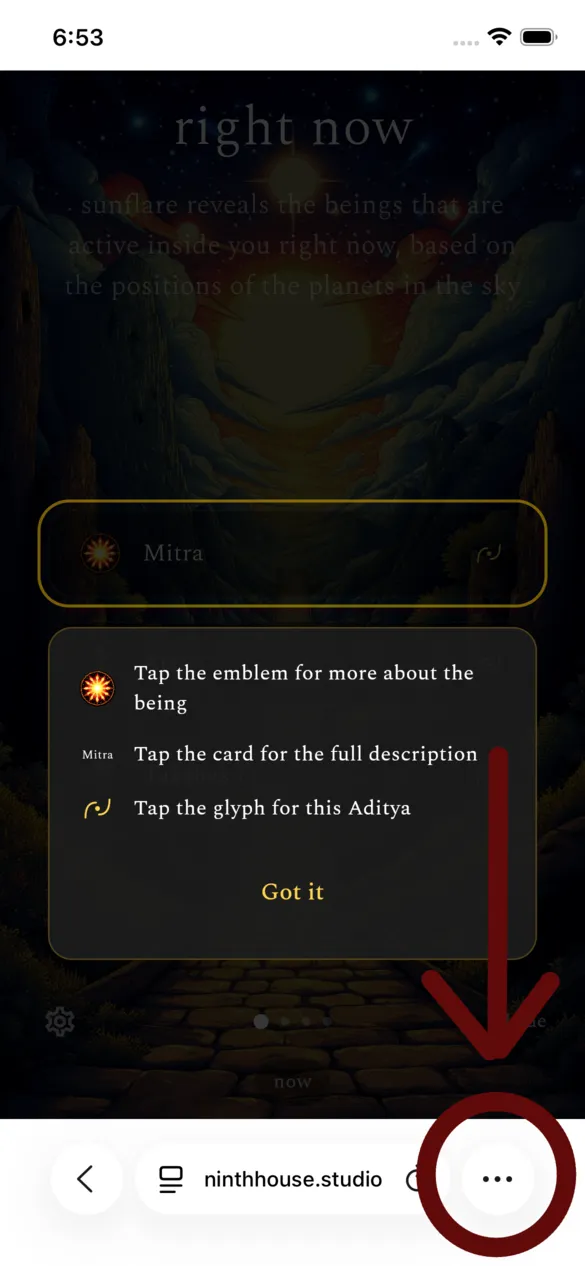
1. Open the app in Safari
Go to ninthhouse.studio/sunflare in Safari. Tap the ⋯ (more) button at the bottom right.
Go to ninthhouse.studio/innerorbits in Safari. Tap the ⋯ (more) button at the bottom right.
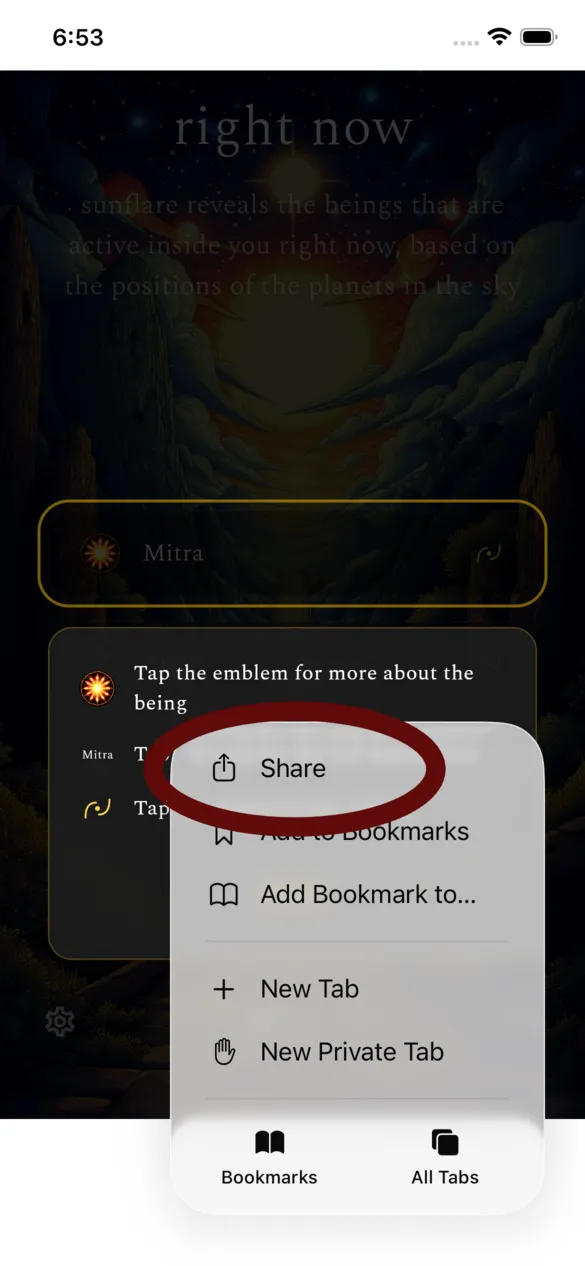
2. Tap Share
Tap Share from the menu that appears.
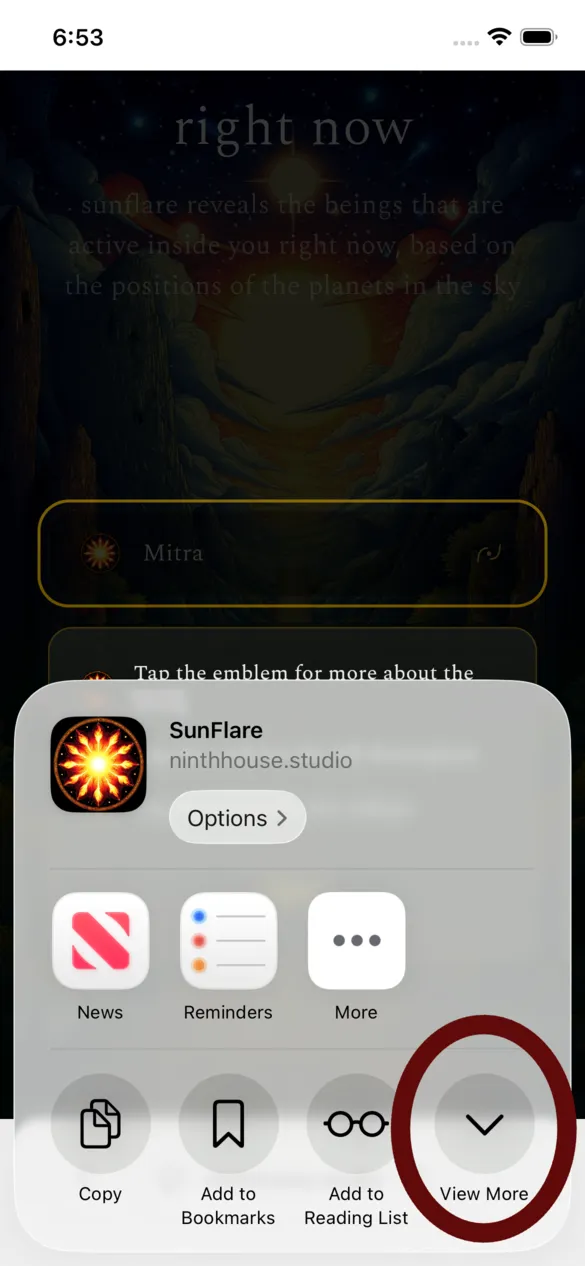
3. Scroll down
The share sheet opens. Tap View More (the down arrow) to see more options.
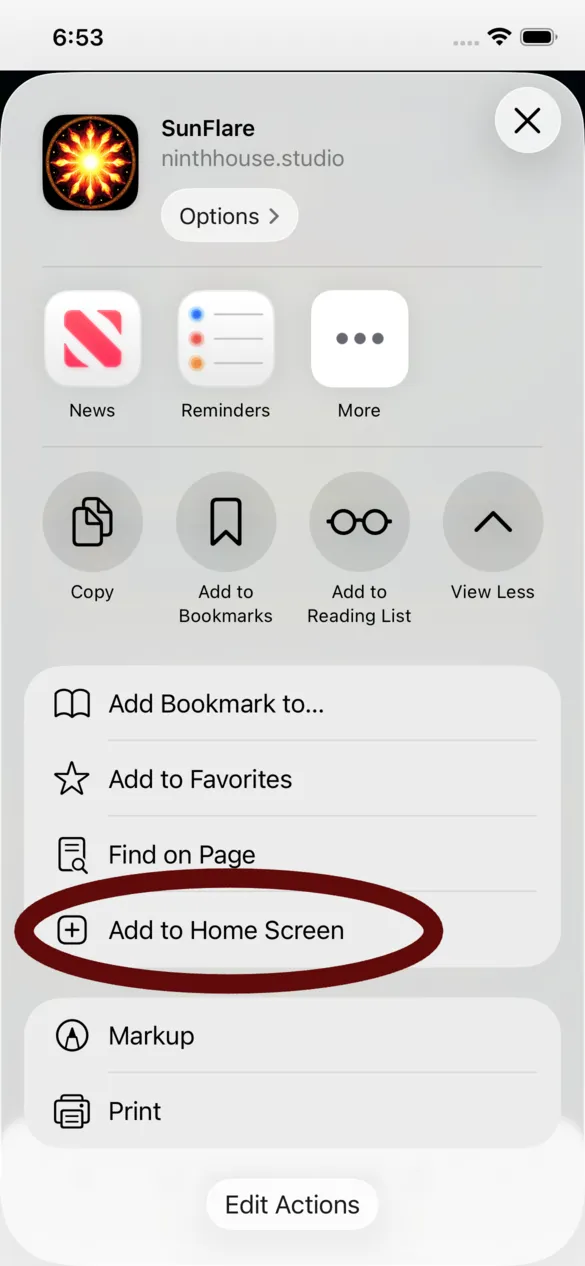
4. Add to Home Screen
Tap Add to Home Screen.
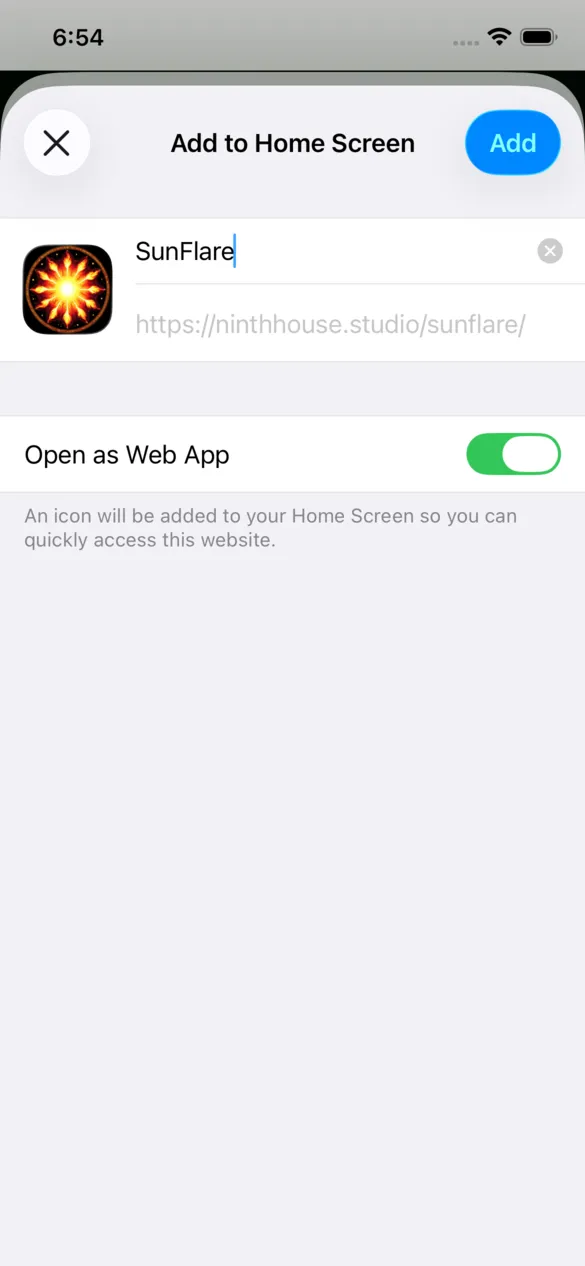
5. Confirm
Tap Add in the top right. Make sure "Open as Web App" is on.
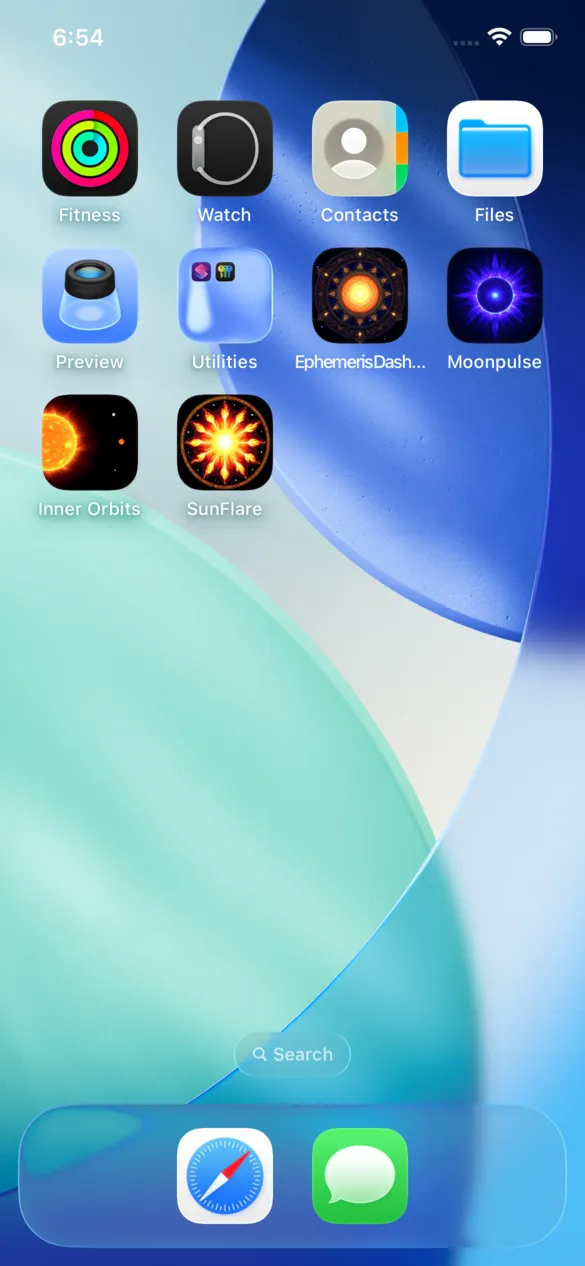
6. Done
Sunflare is now on your home screen. It opens in its own window, just like a native app.
This works on any iPhone or iPad running iOS 16.4 or later.
← Open Sunflare ← Open Inner Orbits